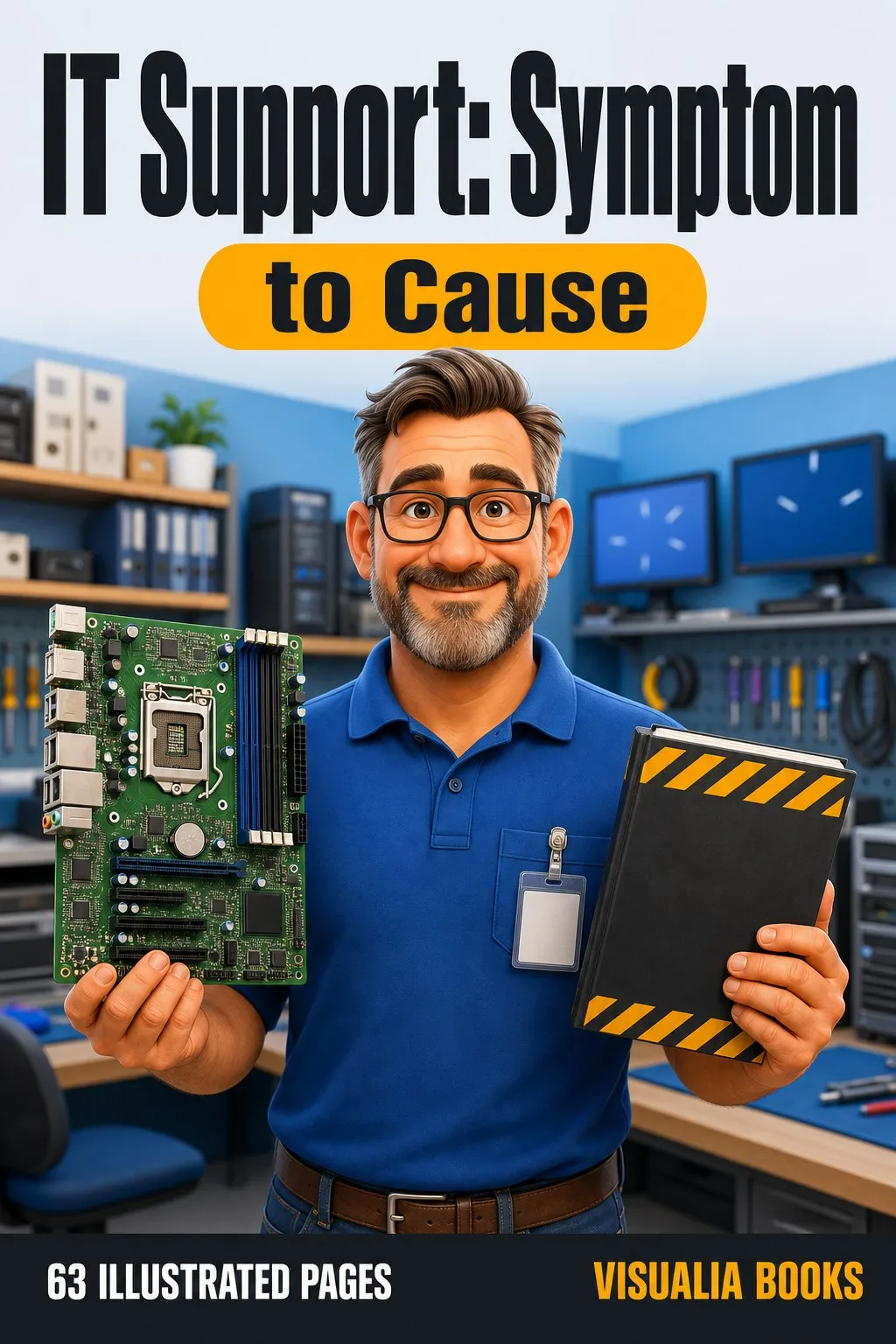
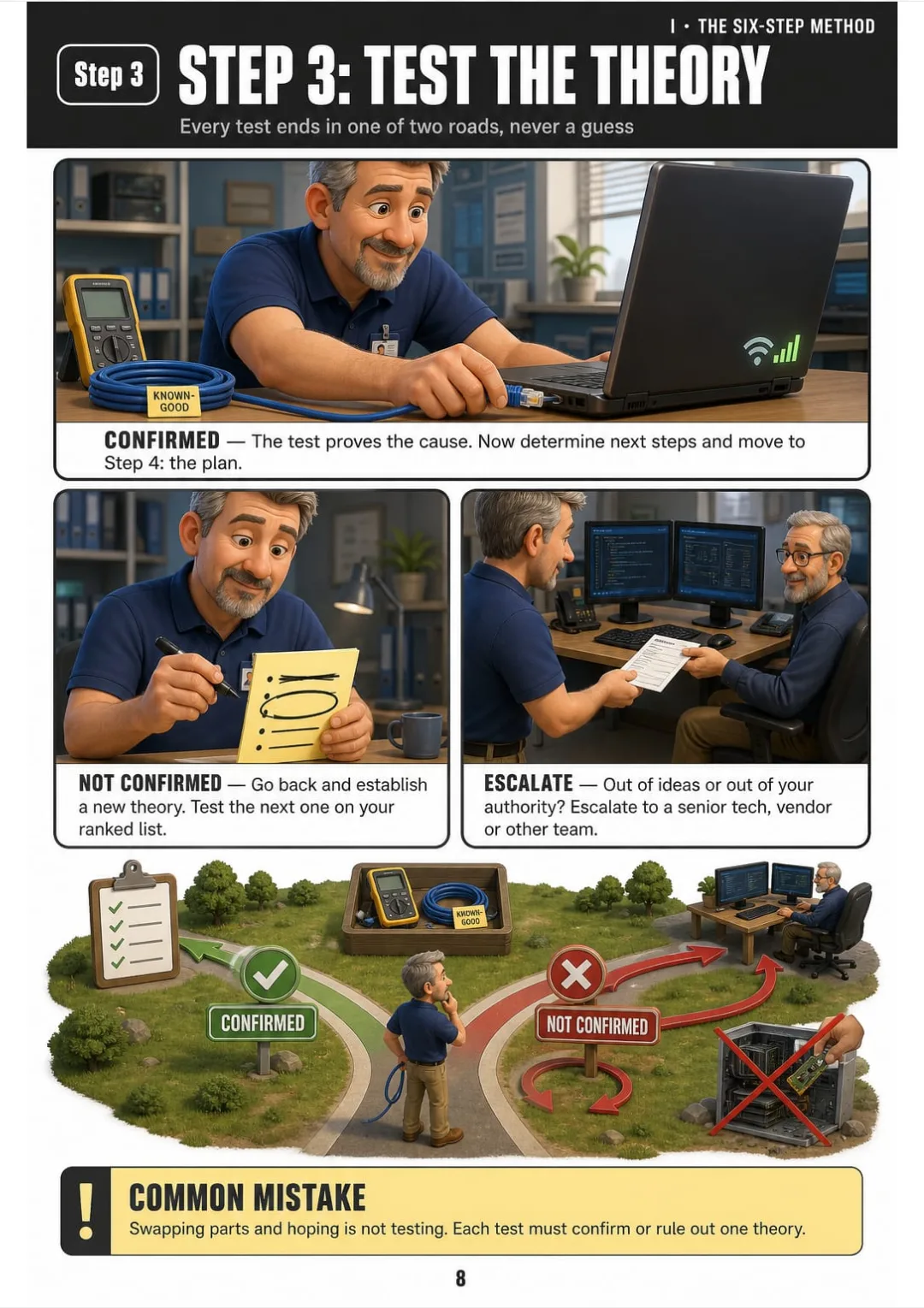
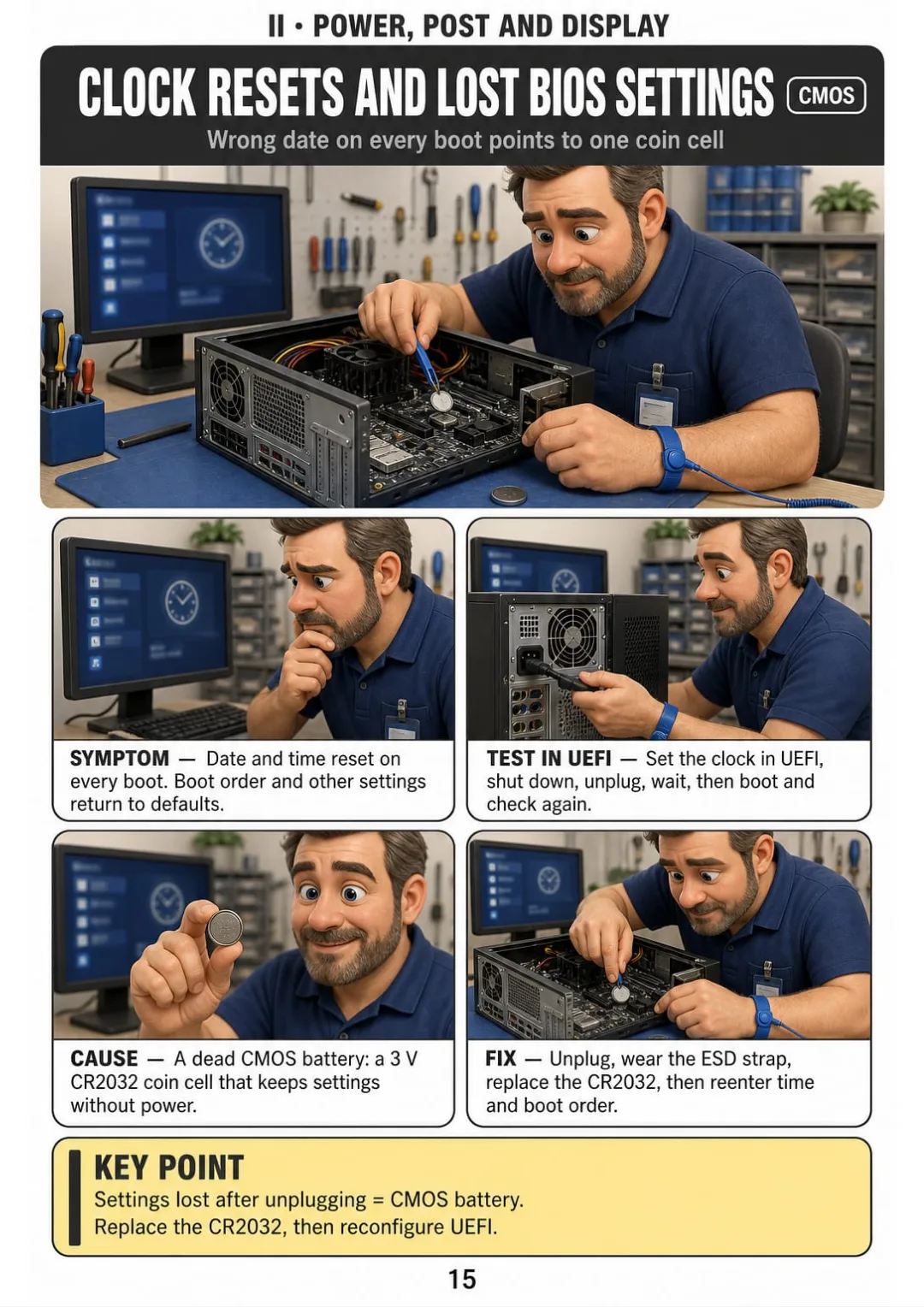
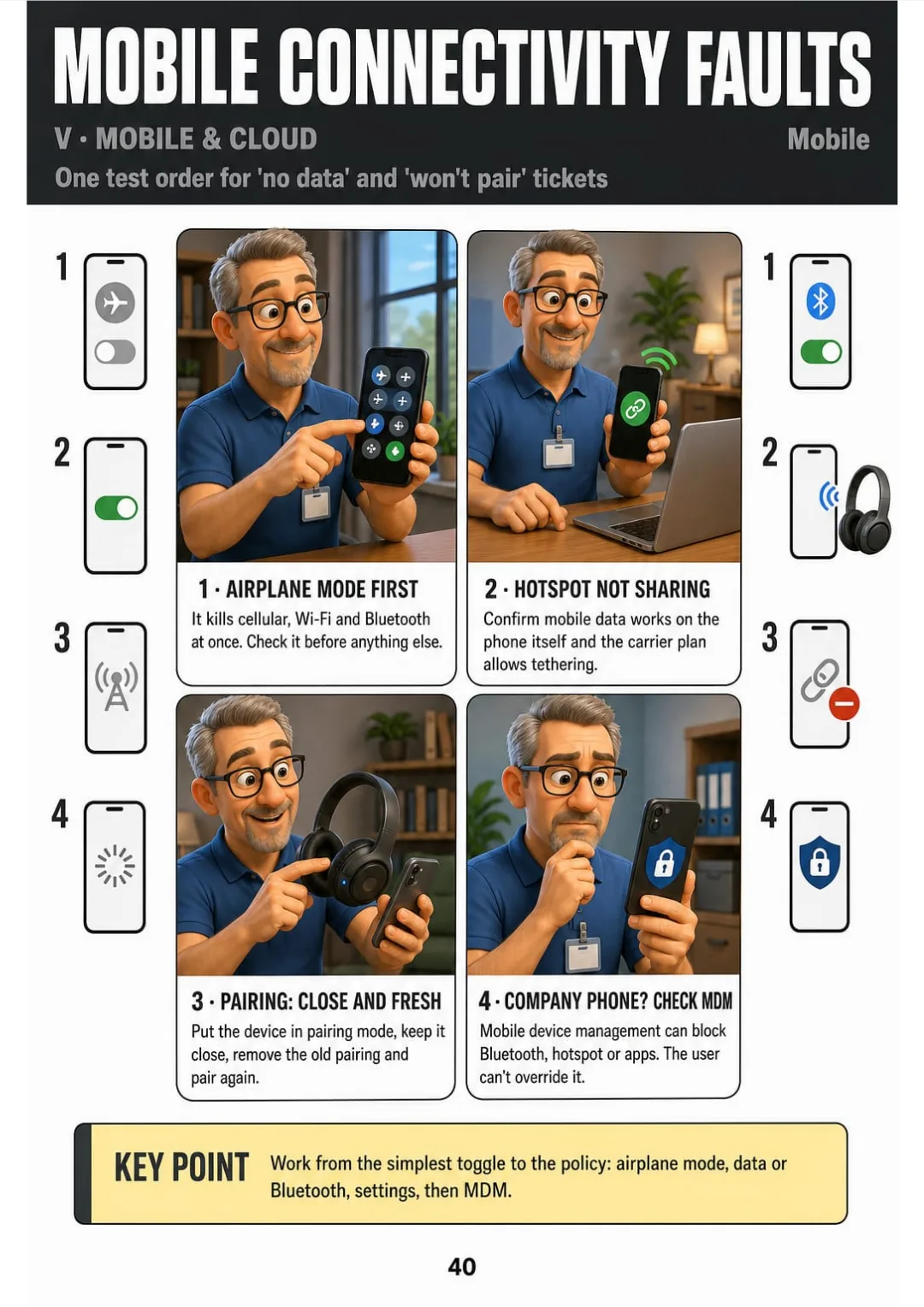
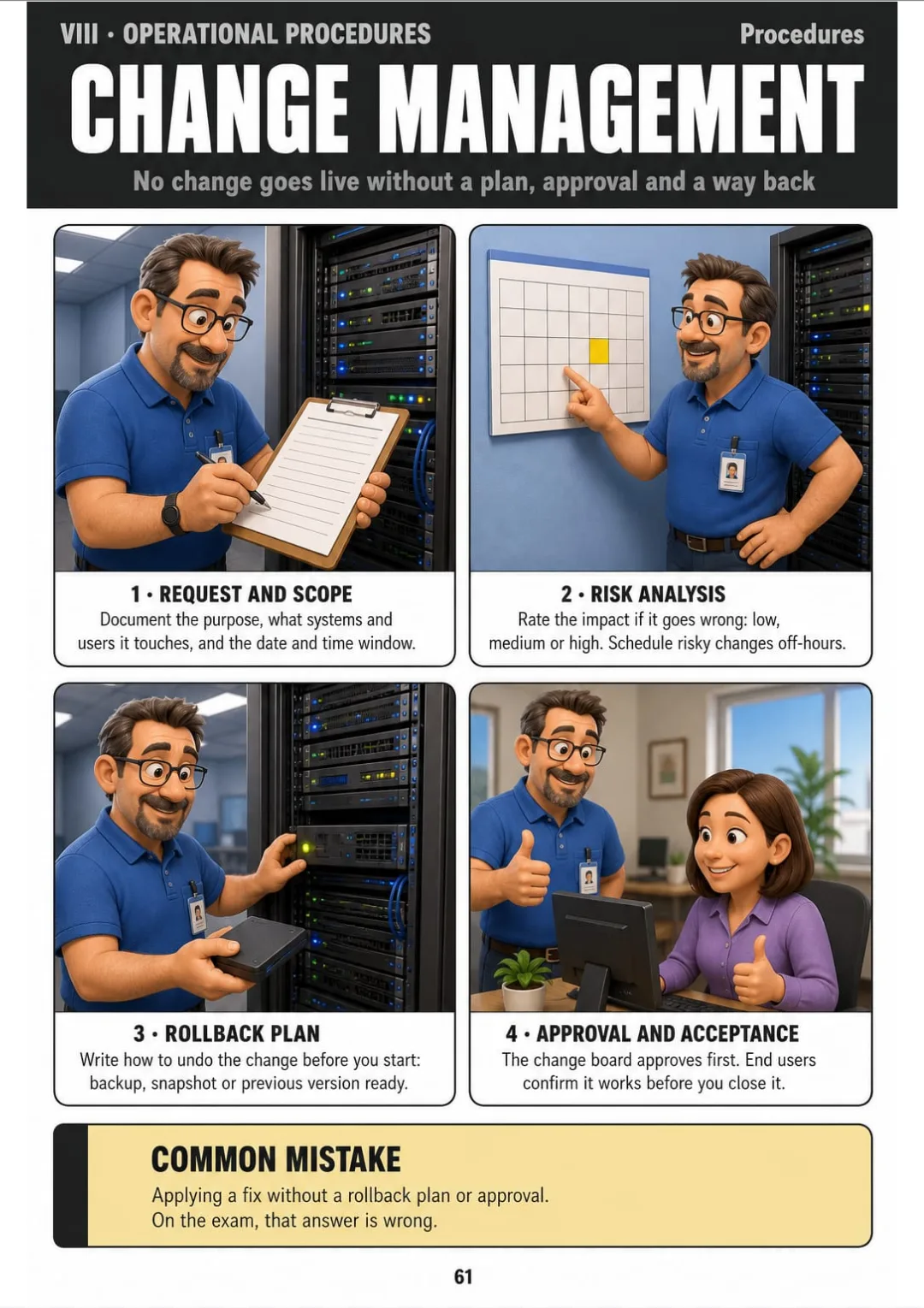
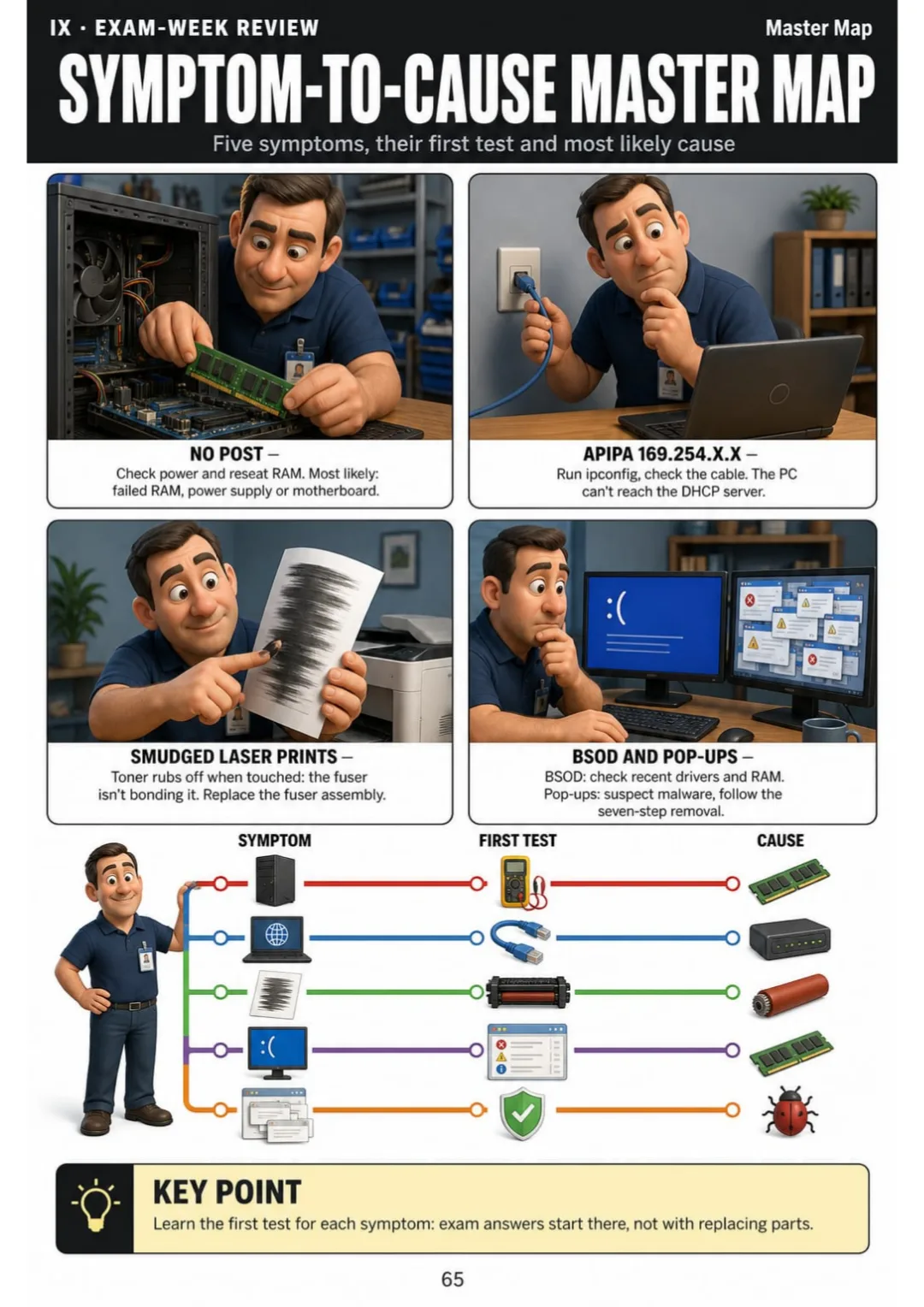
Read the symptom, then check first, second and third. Each fault on its own drawn page, from POST errors to user permissions. 63 illustrated pages.
PDF study guide for CompTIA A+ 220-1201 & 220-1202 · 63 illustrated pages
BUY NOW🔒 Secure checkout · PDF by email · 30-day guarantee
Built to read on your phone screen while you study at your desk or review between help desk calls.


Swipe to see more · tap to zoom →
These are real pages from the book. The table of contents is the full one: 9 parts and 63 topics.
You watched the videos. You made the flashcards. You memorized ports, protocols and acronyms. Then a case question gives you a symptom — and you freeze.
You know the facts. But when the question says "application crashes on startup," you don't know what to check first, what to check second, and when to stop.

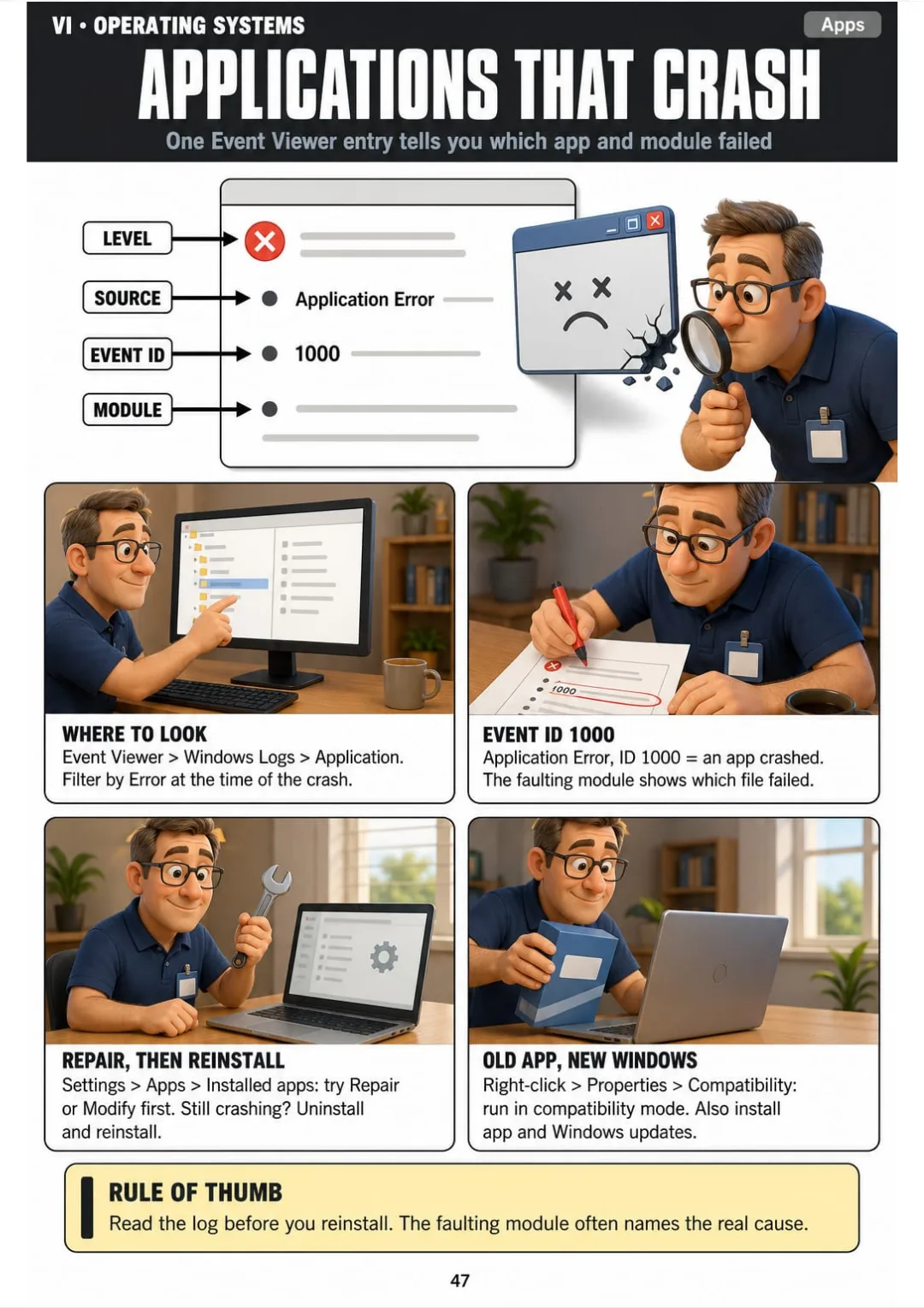
This page shows you Event Viewer drawn and labeled: Level, Source, Event ID 1000 and the faulting module — each box in the same place every time.
No more digging through hundreds of log lines. Four boxes tell you what crashed and why.
That's what a method does. Same four boxes, same order, every fault.
Each A+ exam attempt costs real money. Guessing on case questions means paying twice for the same test.
You rewatch the same video for the third time, hoping it sticks. It doesn't, because the video gives facts without a diagnostic order.
At the help desk or in a practice lab, you hesitate. The senior tech sees it. The user sees it. You know the answer is somewhere — but you can't find it fast enough.
🔒 Secure checkout · PDF by email · 30-day guarantee

Nine parts. From the six-step diagnostic method to exam-week review, covering every fault domain on the Core 1 and Core 2 objectives.
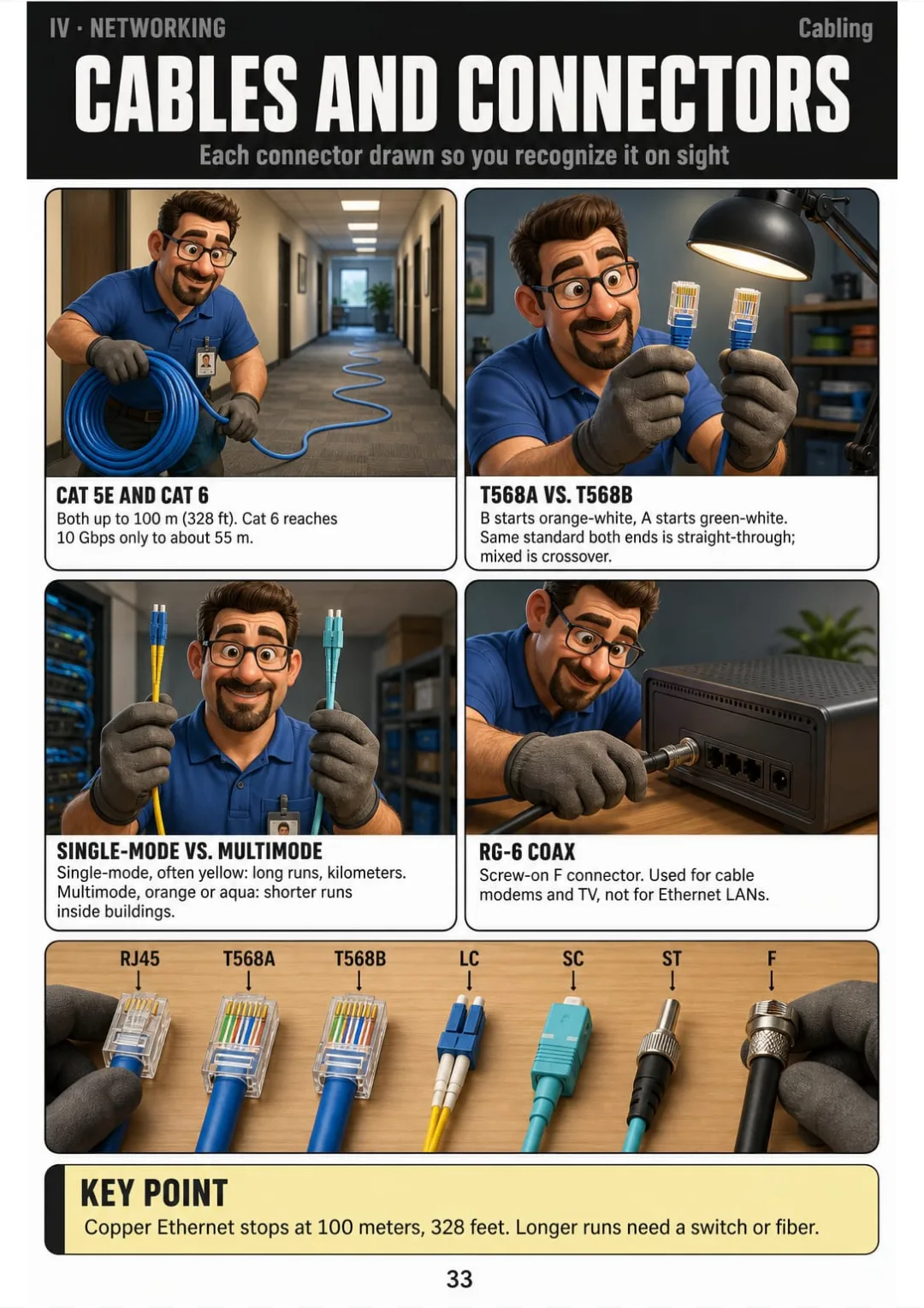
Cables and connectors live together on one drawn page, each with its spec right next to the picture. No flipping back three chapters to find a table. No squinting at a list crammed into a paragraph.

Cat 5e and Cat 6 to 328 feet. T568A versus T568B. Single-mode and multimode fiber. RG-6 coax. Each one drawn with its connector and its maximum distance.
Picture the connector, and the maximum distance comes with it.
🔒 Secure checkout · PDF by email · 30-day guarantee
The six-step troubleshooting method you use on every page, every fault and every case question.
Power supply, POST failures, beep codes, display faults, overheating and random shutdowns.
Drive detection, S.M.A.R.T. warnings, RAID levels, boot errors and printer imaging faults.
ipconfig, DNS, ports and protocols, cables, Wi-Fi, SOHO router setup and network tools.
Laptop replaceable parts, phone and tablet faults, virtual machines and cloud models.
Windows tools, slow startup, boot loops, blue screens, chkdsk, sfc, DISM, permissions, macOS and Linux basics.
The seven-step malware removal, social engineering, account security and lost devices.
ESD safety, the 3-2-1 backup rule, change management and scripting basics.
The most common troubleshooting mistakes, the Symptom-to-Cause Master Map and your exam-day checklist.
Practice the method on realistic support tickets written from scratch, and see why each wrong first move wastes time.

Review everything you need at a glance in the final days, and avoid the most common reasoning mistakes in troubleshooting.
📄 This is a digital PDF book sent to your email: nothing is printed or shipped.
PDF by email: IT Support: Symptom to Cause reaches your inbox as a PDF, and the two free books come by email too. One-time payment, no installments or hidden costs.
You come from retail, a warehouse, admin or the military. You study at night after work and need a method that sticks — not more videos to rewatch.
You already fix everyone's laptop and router. You want the A+ to make it official, but the exam asks you to explain the why, not just the fix.
You got the job or the internship. Real tickets land on your screen and you need a diagnostic order you can follow in front of the user.
📄 This is a digital PDF book sent to your email: nothing is printed or shipped.
30-day guarantee: tell us what didn't work and we'll refund 100%.
100% Money-Back Guarantee for 30 days. Use the book in your real study sessions. If it doesn't give you a clear diagnostic order, tell us what didn't work and we'll refund every cent.
This is a 67-page digital PDF delivered by email: 63 illustrated topic pages, plus the cover and three contents pages. The printed page numbers include those four opening pages. Read it on your phone, tablet or computer, or print it.
Yes. Every page is designed for a phone screen — one topic per page, drawn large and clear.
Yes, if you can use a PC. Part I teaches the six-step method from scratch, and the network part starts from ipconfig, cables and IP addresses, drawn one topic per page. It won't replace a full networking course, but you can follow it without one.
You get the book and the two bonus PDFs by email after payment.
Yes. One payment, and the three PDFs are yours to keep and reprint as many times as you want.
No. This is independent study material mapped to the public A+ Core 1 (220-1201) and Core 2 (220-1202) objectives. It is not affiliated with, endorsed by or sponsored by CompTIA.
No. Keep your videos and your course for theory and labs. What this adds is the order: for each fault, what to check first, second and third, on one drawn page you can find again the night before the exam. It doesn't replace instructor-led training or lab experience.
Yes. Every page is mapped to the current published objectives for Core 1 and Core 2.
No. Every question, ticket and example in the book and the bonuses is original content written for this material. None come from the actual exam.
No more freezing when a ticket lands on your screen.
No more swapping parts and hoping. You check first, second, third — same method, every fault.
The method is always the same. The answer is always on one page.
You already solve problems every day. This book gives you the order to prove it.
One-time payment: US$ 27 · Guarantee: 30 days · PDF by email
BUY NOW📄 This is a digital PDF book sent to your email: nothing is printed or shipped.